How to Get Started
Complete guide to create your account and join your local masjid community
Table of Contents
1Account Creation
How to Create & Login to Your Masjid Network Account
2Join Masjid
How to Find and Join Masjid Nearby in Your Area
How to Create & Login to Your Masjid Network Account?
Download & Open the App
Download and install the app from the Play Store or App Store.
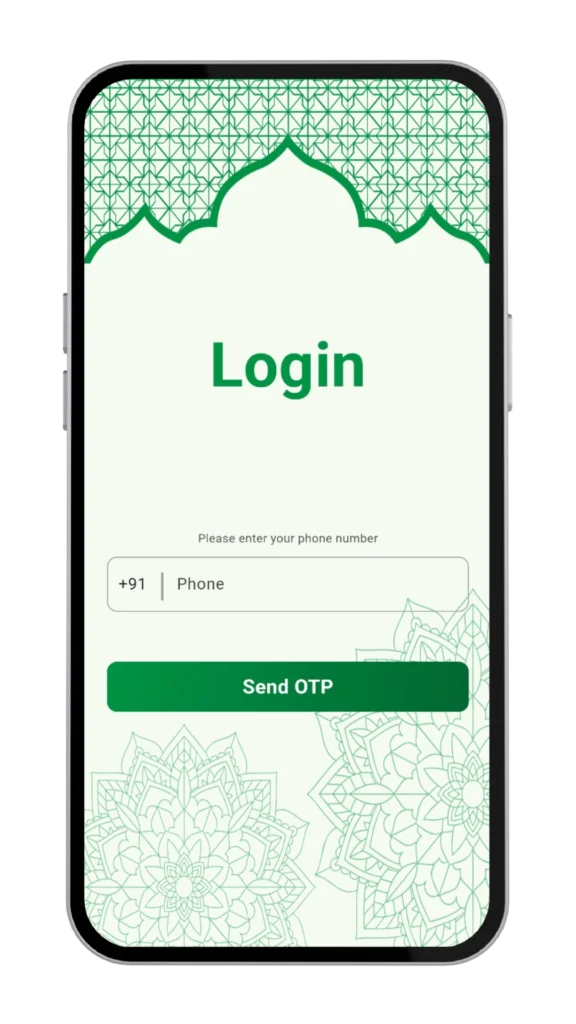
Enter Your Mobile Number
Input your registered mobile number with your country code to proceed.
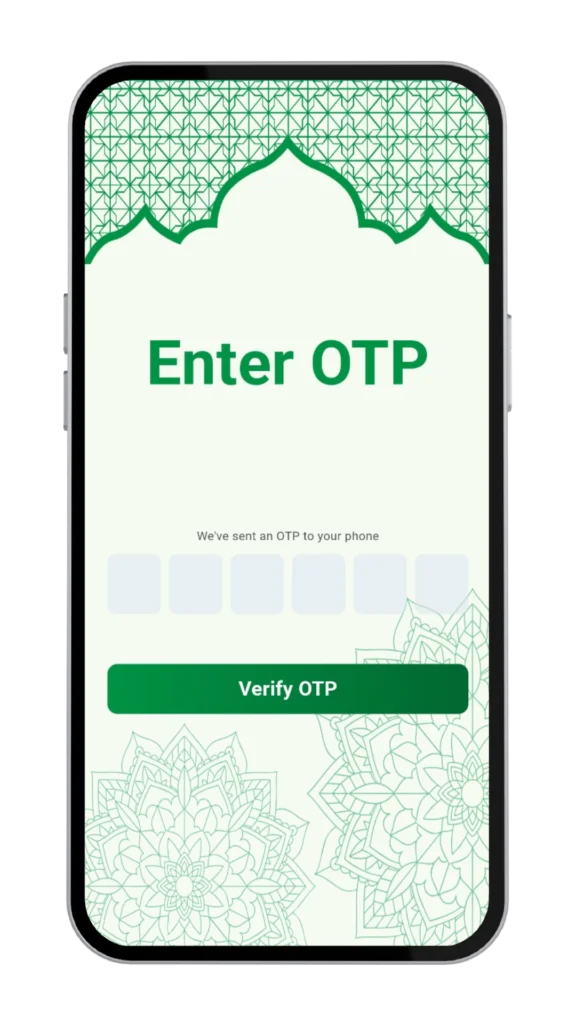
Verify Your Account
You will receive a One-Time Password (OTP) via SMS. Enter it to verify.
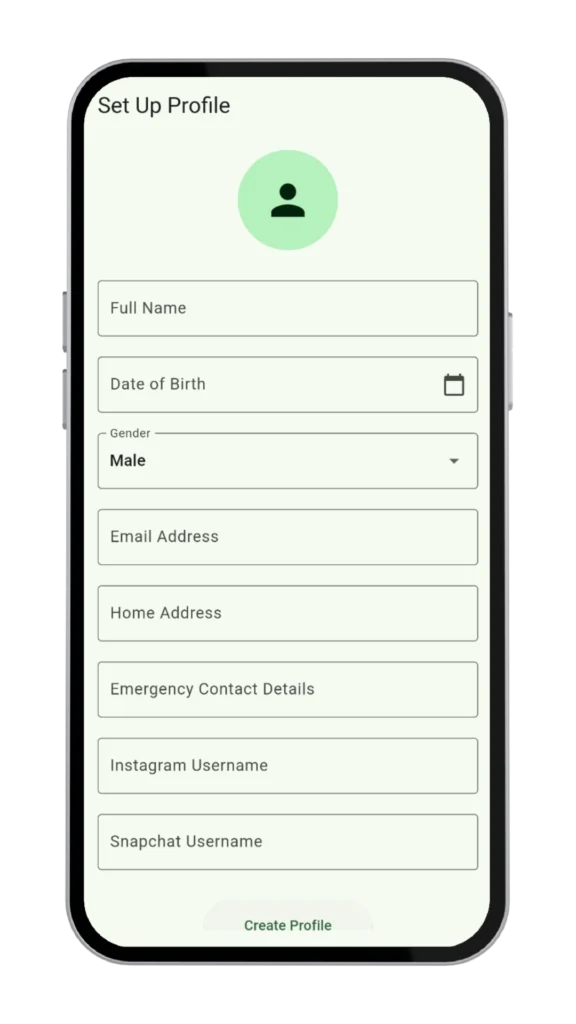
Create your account
Add your name and preferences to personalize your experience.
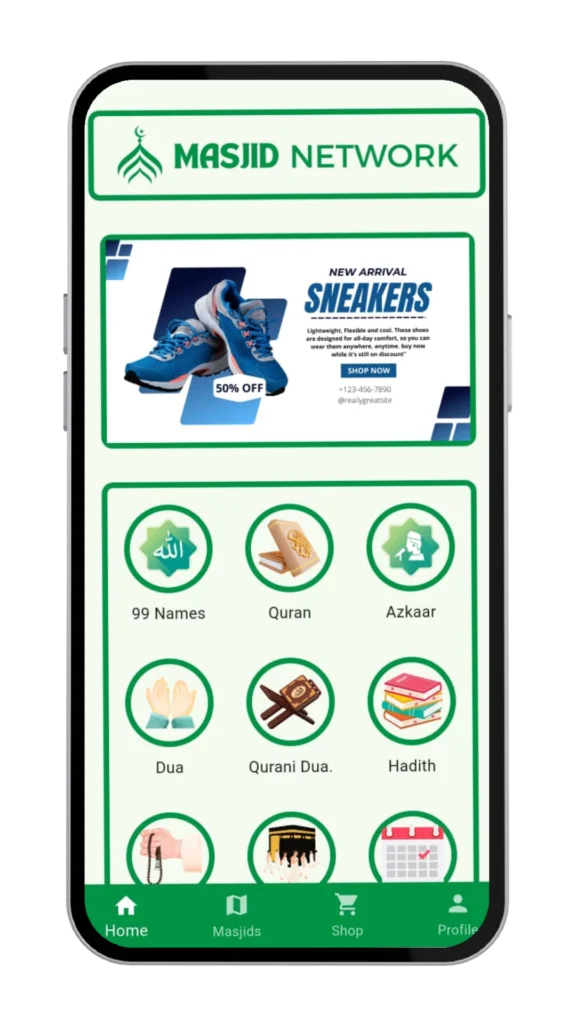
Enjoy Full Access!
Stay updated with prayer alerts, masjid events, community news, and more!
How to Find and Join Masjid Nearby in Your Area?
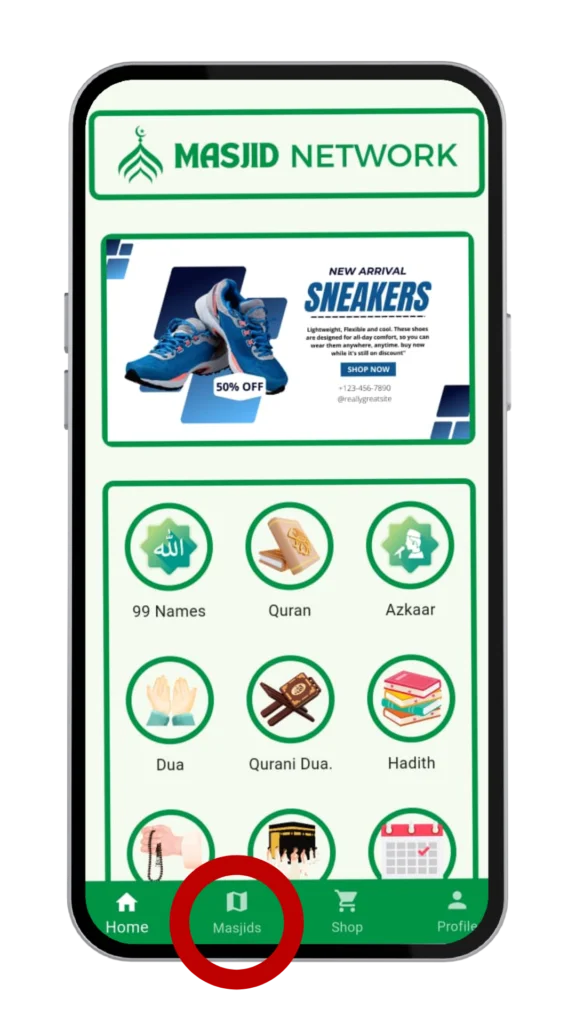
Look At The Bottom Navigation Bar
Simply Look At The Bottom Navigation Bar Within The App. Locate And Tap On The “Masjid” Tab.
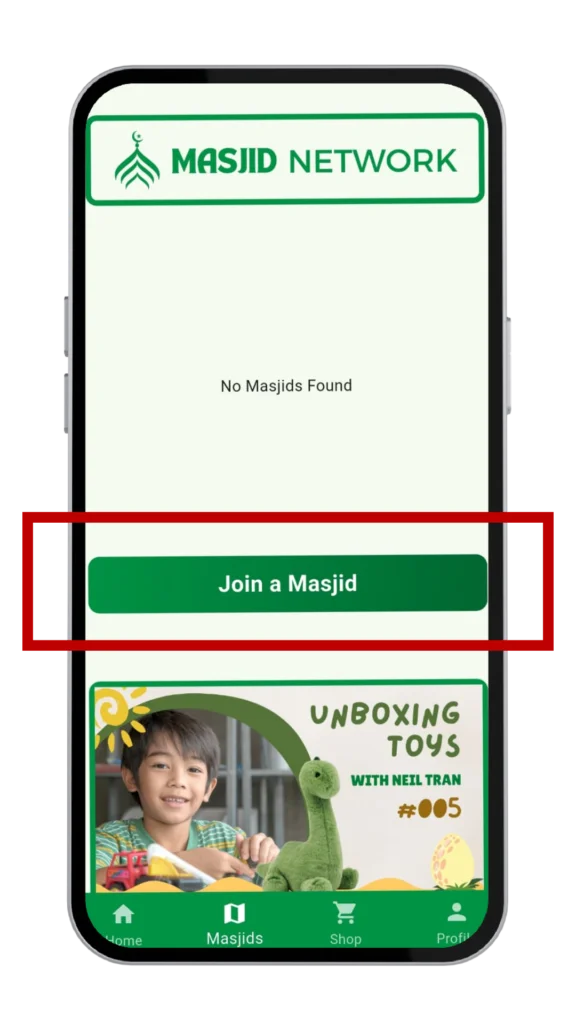
Join Your Local Masjid Community
To Join Your Local Masjid Community, Go To The Relevant Section And Tap “Join a Masjid”. Select Your Masjid To Receive Real-Time Prayer Alerts, Announcements, And Event Updates.
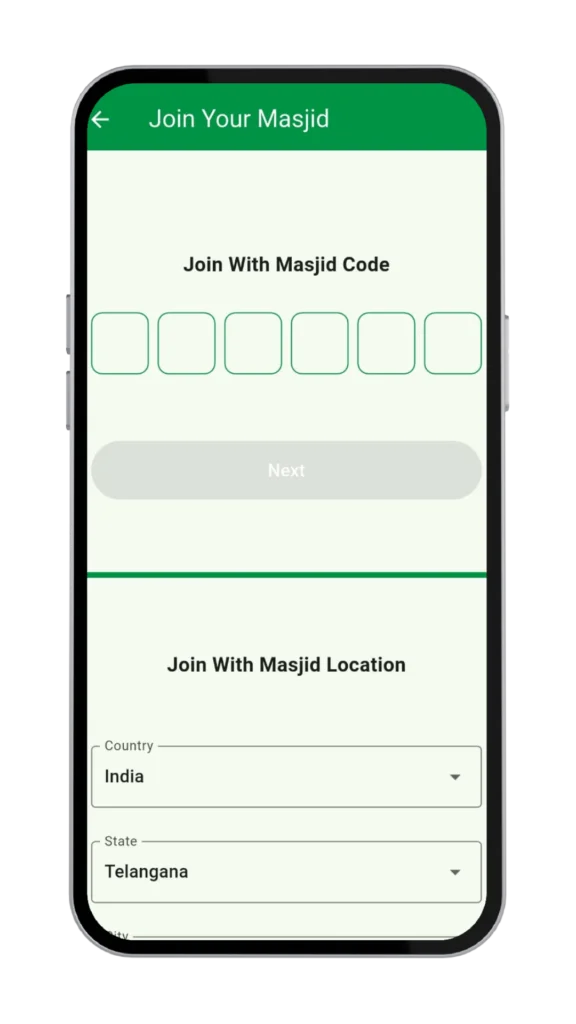
Enter The Unique Masjid Code
Enter The Unique Masjid Code In The Designated Field To Join Your Masjid And Access Prayer Schedules, Important Announcements, Events, And Community Updates.
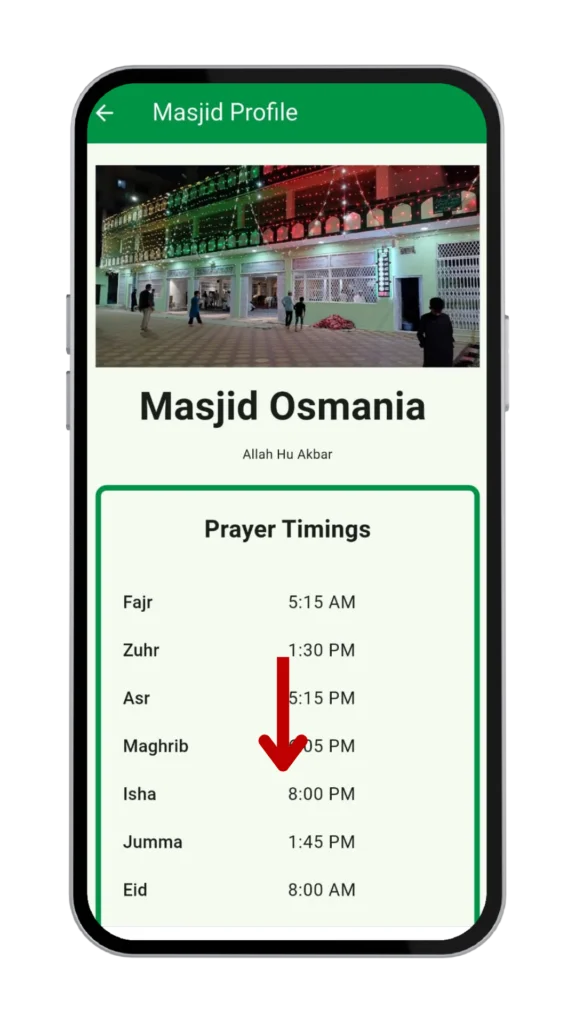
Navigate Down to Locate the “Join” Button
Navigate Down to Locate the “Join” Button
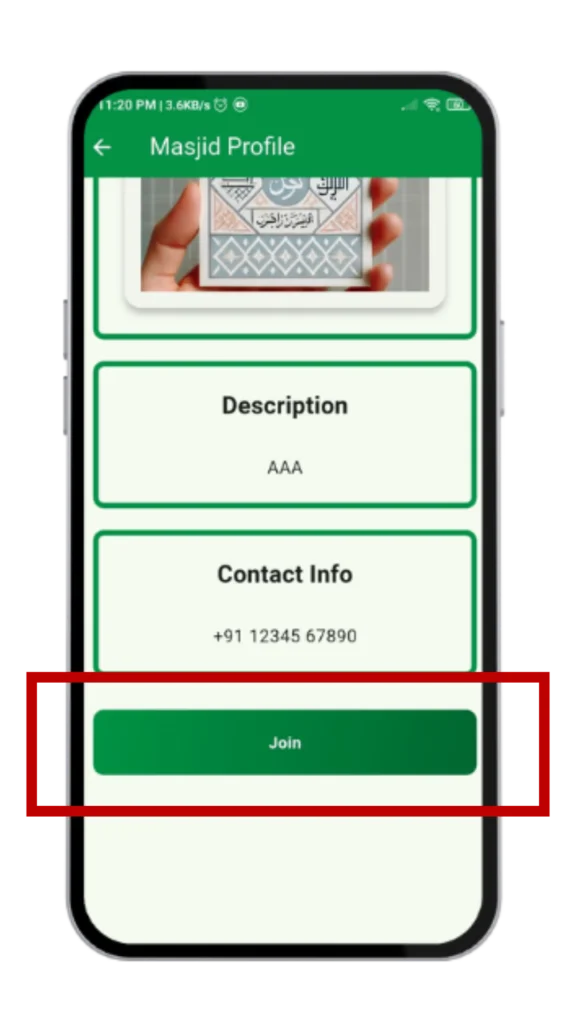
Tap the “Join” Button to Proceed
Tap the “Join” Button to Proceed
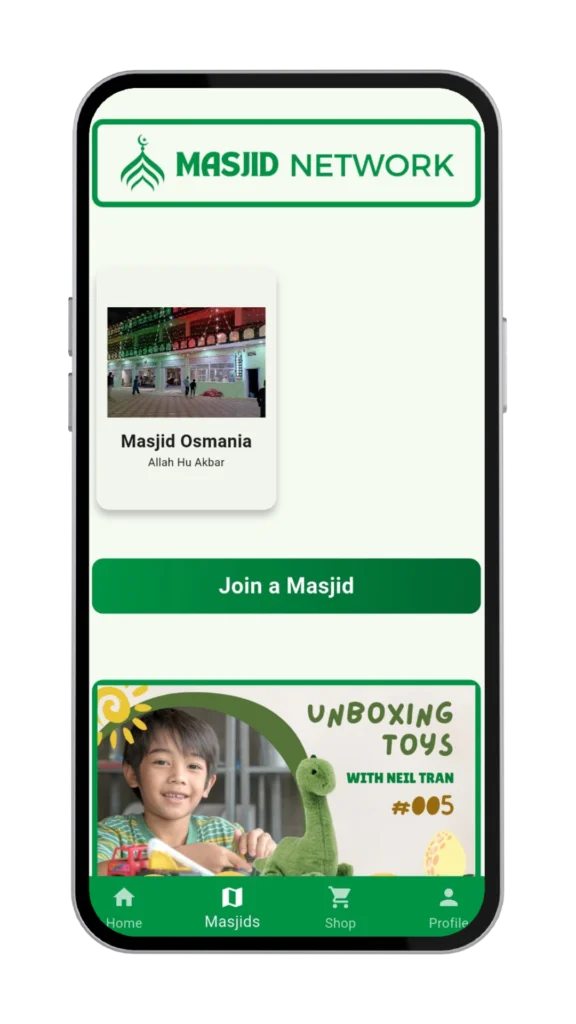
Successfully Joined Your Masjid
Once you successfully join the masjid, it will be added to your “Masjids” section, allowing you to easily access prayer schedules, announcements, events, and other important updates from your selected masjid.
Ready to Get Started?
Download the Masjid Network app today and connect with your local community